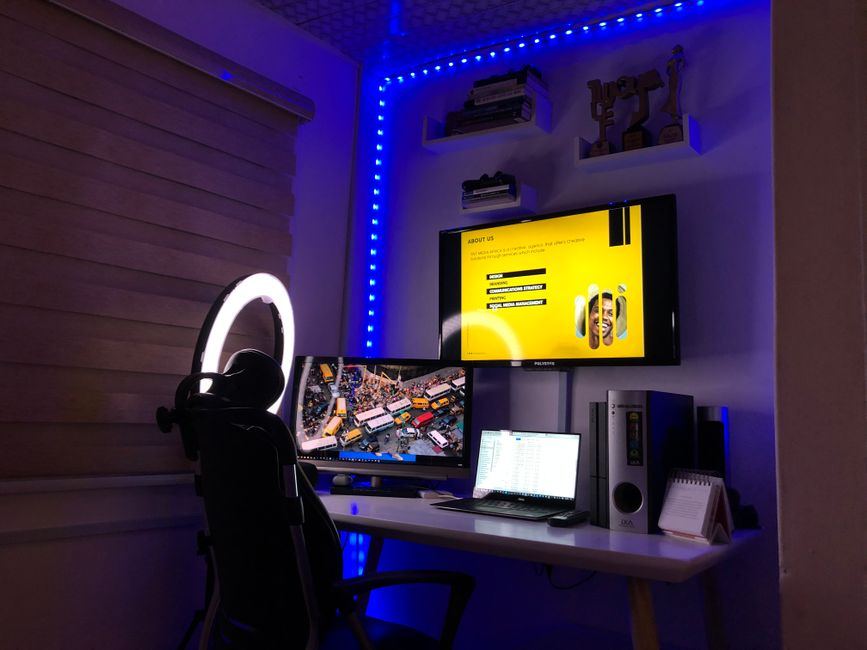
Better desk lighting, zero screen glare

Stop lighting your screen instead of your desk

Based on current 2026 reviews, we compare glare control, brightness, and monitor fit across the top monitor light bars — so you don't have to test a shelf of desk lamps first.

See the comparison

Quick answer: Our top pick for monitor light bars is the BenQ ScreenBar Halo 2 (Best Overall). If you're looking for best value, the Xiaomi Mi Computer Monitor Light Bar is a strong alternative.

Advertentie

Why a monitor light bar beats a regular desk lamp

Reviewed by the MonitorLightBarPicks team · last updated 2026-08-11

A regular desk lamp either points straight at your face or bounces light off the screen, and both make eye strain worse, not better. A monitor light bar clips to the top edge of your display and angles its light down onto the desk in front of you, so your workspace is lit without a single reflection landing on the panel.

The market splits into a few clear tiers: premium bars with wireless controllers, motion sensors, and a rear-facing backlight that balances the glow behind your monitor; mid-range bars with a magnetic mount and simple dial control; and value bars that keep the core anti-glare optics but drop the extra sensors. Below, we compare four well-reviewed 2026 models across exactly that trade-off, plus fit for curved and ultrawide screens.

If you're setting up a home office from scratch, a light bar pairs naturally with a laptop stand or a cable tray — but on its own, it's usually the single upgrade that makes late-afternoon and evening screen time noticeably easier on your eyes.

A monitor light bar solves glare and eye strain for screen work, but it's mounted above the display and pointed down at the desk -- not at your face. If you're on video calls often, you'll likely still want a second, separate light source aimed at you rather than the desk, and a lot of home-office setups end up combining a light bar for work with either a standalone desk lamp or dedicated call lighting.

Glare control

Look for asymmetrical optics designed specifically to keep light off the screen — a generic LED bar without that shaping will still cast a faint reflection.

Monitor fit

Clamp range matters more than length: thin bezels, curved panels, and monitors with a thick rear bulge all need enough clamp depth to sit securely.

Controls

A wireless dial or remote is far more convenient than reaching behind your monitor to tap a touch panel every time you adjust brightness.

Color temperature range

A wide 2700K-6500K range lets you match warm evening lighting or cooler daytime light, which matters if you work long hours at the same desk.

Light bar vs. desk lamp vs. call lighting

These solve different problems even though they all involve light: a bar reduces monitor glare, a desk lamp lights your workspace generally, and call lighting is aimed specifically at your face for video calls. Most serious home-office setups end up with more than one.

Product Best For Price Rating
BenQ ScreenBar Halo 2 Best Overall $160 - $180 4.8/5
Xiaomi Mi Computer Monitor Light Bar Best Value $26 - $40 4.4/5
Quntis Monitor Light Bar PRO+ with Remote Control Best for Curved Monitors $50 - $70 4.5/5
Quntis RGB Pro+ Monitor Light Bar 20" Best for Ultrawide & Large Screens $35 - $50 4.4/5
Best Overall

BenQ ScreenBar Halo 2

4.8

A premium light bar with front and rear backlighting, a wireless controller, and a motion sensor, delivering around 1000 lux of glare-free illumination and fitting curved monitors with a deep clamp range.

  • Front and rear backlight balances screen brightness
  • Wireless controller with motion sensor
  • Deep clamp range fits curved and thick-bezel monitors
  • Priced well above value and mid-range bars
Best Value

Xiaomi Mi Computer Monitor Light Bar

4.4

A slim aluminum light bar with a magnetic mount and a wireless dial for brightness and color temperature, offering most of the anti-glare benefit of premium bars at a fraction of the price.

  • Magnetic mount is quick to attach and remove
  • Wireless dial for one-hand adjustment
  • Wide 2700K-6500K color temperature range
  • No rear backlight, so screen contrast benefit is smaller

Quntis Monitor Light Bar PRO+ with Remote Control

4.5

A remote-controlled light bar built specifically to fit both curved and flat monitors, with auto-dimming and stepless brightness and color temperature adjustment for eye-care lighting.

  • Explicitly designed to clamp curved monitors
  • Auto-dimming adjusts to ambient light
  • Stepless brightness and color temperature control
  • Remote is an extra item to keep track of on the desk

Quntis RGB Pro+ Monitor Light Bar 20"

4.4

A 20-inch light bar built for flat, curved, and ultrawide monitors, combining eye-care front lighting with an optional RGB gaming backlight for wide desk setups.

  • 20-inch length suits ultrawide and large monitors
  • Optional RGB backlight for gaming setups
  • No-glare front light with 15 lighting modes
  • Extra length needs enough desk clearance to sit centered

Which one should you get?

You have a curved monitor

The Quntis PRO+ is specifically shaped to fit curved screens without gaps.

You use an ultrawide or unusually large monitor

The Quntis RGB Pro+ 20" gives wider light coverage than the standard-size bars.

You want the best lighting quality and don't mind paying more

The BenQ ScreenBar Halo 2 (Best Overall) is the brightest and most feature-complete option.

You want solid performance without the premium price

The Xiaomi (Best Value) covers the core benefit at a lower cost.

Advertentie

Frequently Asked Questions

Does a monitor light bar actually reduce eye strain?

Yes, when set to a warm-to-neutral color temperature (2700K-4000K) it reduces the glare and contrast your monitor creates against a dark room, compared to no lighting or a desk lamp pointed at the screen.

Will a light bar cause glare on my screen?

A well-designed asymmetrical light bar aims light forward onto your desk, not down into the monitor, so it shouldn't glare. Look for a model that specifically advertises asymmetric, glare-free optics.

Does a monitor light bar work with curved monitors?

Most clip-on light bars are designed for flat monitors. Check the product specs for curved-screen compatibility before buying if that's your setup.

Do I need a wired or wireless light bar?

Wireless controllers are more convenient for adjusting brightness and color on the fly, but the light bar itself still needs a USB power cable either way.

Is a more expensive light bar actually better?

Higher-priced models generally add auto-dimming sensors, a wider light spread, and a rear ambient backlight. The core no-glare lighting benefit is present even in budget models.

Recent Updates

2026-08-11

Checked against current 2026 comparison roundups -- the market has settled into a premium tier (auto-dimming, wireless control) and a budget value tier, and our lineup covers both.